

Est. 2019
Est. 2019
Practical articles on Webflow development, platform migrations, B2B web design, and site performance — written from 6 years of building for venture-backed companies like Column Tax, Vividly, and Sisu Clinic. No fluff, no generic advice. Just what we've learned from 50+ Webflow builds across SaaS, fintech, healthcare, and cybersecurity.
Lorem ipsum dolor sit amet, consectetur adipiscing elit. Suspendisse varius enim in eros elementum tristique. Duis cursus, mi quis viverra ornare, eros dolor interdum nulla, ut commodo diam libero vitae erat. Aenean faucibus nibh et justo cursus id rutrum lorem imperdiet. Nunc ut sem vitae risus tristique posuere.
.
SEO
AEO stands for Answer Engine Optimization. It's the practice of structuring your website content so that AI systems — including ChatGPT, Google AI Overviews, Perplexity, Gemini, Claude, and Microsoft Copilot — can find, understand, and cite your content when answering user questions. While traditional SEO focuses on ranking in search engine results pages, AEO focuses on getting your brand and content referenced in AI-generated answers, which are increasingly becoming the first thing users see when they search for information.
Think of it this way. SEO gets you ranked. AEO gets you cited.
That distinction matters more than most B2B companies realize, because AI-generated answers are replacing the clicks that used to go to organic search results.
The shift is happening across every major search and answer platform:
AI systems generate answers by pulling from web content, synthesizing it, and presenting a coherent response. These systems are selecting which sources to reference, and they have preferences.
Based on the Princeton GEO study (published at KDD 2024) and subsequent research, AI systems favor content that:
This is different from traditional SEO in a fundamental way. In SEO, you're competing for position on a page of links. In AEO, you're competing to be the source an AI system chooses to trust and reference.
The biggest shift in thinking: in SEO, ranking on page 2 means you're basically invisible. In AEO, a well-structured page ranking on page 2 or even page 3 can still get cited by AI systems. This doesn't mean SEO doesn't matter. It means AEO extends where your content can reach, even when your search rankings are still climbing.
Every key concept on a page gets a clear, standalone definition in the first paragraph of its section. Not buried in the third sentence. Not dependent on the preceding paragraph for context. A complete, citeable answer.
AI systems need to understand what your company is and what it does, clearly. This means:
Vague "we help businesses grow online" copy is invisible to AI systems. "Digi Hotshot is a Webflow agency founded in 2019 that has completed 50+ builds for SaaS, fintech, healthcare, and B2B companies" gives an AI system something to reference.
Every claim worth making is worth backing with a number. We build content with:
FAQ sections serve double duty. They target the long-tail questions people actually type into AI systems, and when marked up with FAQPage schema, they give AI systems structured data to pull from. We include detailed FAQ sections with 5-6 questions that match how real people phrase their queries.
Remember: brands are 6.5x more likely to be cited in AI answers through third-party mentions. Your AEO strategy can't live entirely on your own website. The approach:
AEO matters most for B2B companies where:
SaaS companies, fintech companies, healthcare companies, cybersecurity firms, defense tech — these are exactly the verticals where AEO has the highest impact.
You don't need to rebuild your entire website. AEO improvements can be layered onto existing content.
AEO is available as a standalone service or as part of a broader website strategy. The scope depends on how much content you have, how competitive your market is, and how many AI platforms you need to be visible on.
A typical AEO engagement includes: auditing your current AI visibility across ChatGPT, Perplexity, Google AI Overviews, and other platforms. Restructuring your highest-value pages with definition blocks, statistical content, and FAQ schema. Building a third-party citation strategy. And ongoing monitoring to track where your brand is being cited.
Some companies run AEO as a dedicated workstream. Others fold it into a broader retainer that combines Webflow development, content strategy, and SEO.
AEO stands for Answer Engine Optimization. It's the practice of structuring website content so AI systems — including ChatGPT, Google AI Overviews, Perplexity, Gemini, Claude, and Microsoft Copilot — can find, understand, and cite it when generating answers to user questions.
SEO focuses on ranking in traditional search engine results pages. AEO focuses on getting your content cited in AI-generated answers. The key difference: in SEO, ranking on page 2 means low visibility. In AEO, even content ranking on page 2-3 can get cited by AI systems if it's well-structured, includes statistics, and provides clear answers.
Yes, because the landscape is shifting. Google AI Overviews appear in approximately 45% of searches and reduce organic clicks by up to 58% (Authoritas, 2025). Even strong SEO can't compensate for losing traffic to AI-generated answers that don't mention your brand. AEO ensures you're visible in both traditional search and AI answers.
AEO investment varies based on the size of your content footprint, the number of pages that need restructuring, and whether you need ongoing citation monitoring or a one-time optimization pass. It can run as a standalone service or be bundled into a website retainer that includes development, SEO, and content strategy. Request a free AI visibility audit at a specific scope.
Search for your core topics and service descriptions in ChatGPT, Perplexity, Google AI Overviews (search Google and look for the AI-generated summary), and Gemini. Note whether your brand is cited, whether competitors are cited instead, and what content format the AI system selected. This establishes your baseline for improvement.
Content that includes specific statistics with named sources, clear definitions in opening paragraphs, attributed expert quotes, FAQ sections with schema markup, and self-contained answer blocks that work independently of surrounding content. The Princeton GEO study (KDD 2024) found that citing sources increases AI citation rates by 40%.
Parth Gaurav is the founder of Digi Hotshot, a Webflow agency founded in 2019 that has built 50+ sites for SaaS, fintech, healthcare, and B2B companies. He now offers AEO as a dedicated service for B2B companies.
Lorem ipsum dolor sit amet, consectetur adipiscing elit. Suspendisse varius enim in eros elementum tristique. Duis cursus, mi quis viverra ornare, eros dolor interdum nulla, ut commodo diam libero vitae erat. Aenean faucibus nibh et justo cursus id rutrum lorem imperdiet. Nunc ut sem vitae risus tristique posuere.
.
Migration
You've spent years building content and SEO authority on WordPress. Moving to Webflow shouldn't mean starting over. We've completed 14+ WordPress-to-Webflow migrations and 30+ total migrations across platforms since 2019, and this is the checklist we actually use — the items that prevent broken redirects, lost rankings, and the kind of post-launch fires that ruin the first month on a new platform.
This isn't a tutorial on how to use Webflow's designer. It's the operational checklist for planning, executing, and verifying a migration without losing what you've built.
Migration Trust Bar:
A migration moves your website from one platform to another. In practical terms, this means:
The site isn't just moved — it's rebuilt in a new system. That's why the checklist matters. Skip steps and things break silently.
Every URL that changes between WordPress and Webflow needs a 301 redirect pointing old to new. Miss a redirect on a high-traffic page and Google sends visitors to a 404 error. Do that across 50 URLs and your organic traffic drops off a cliff within days.
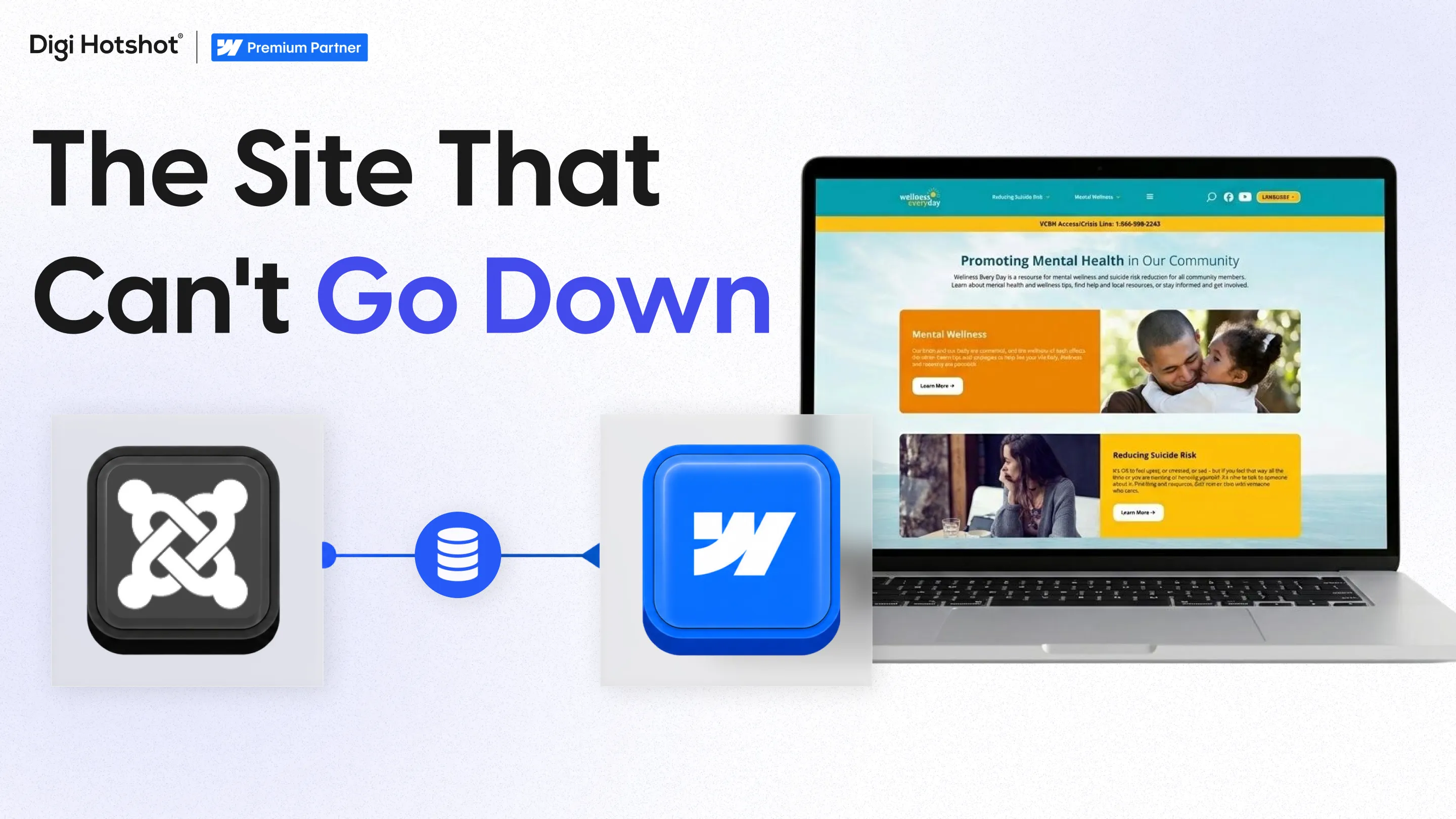
How we prevent it: We build a complete redirect map spreadsheet — every old URL mapped to its new Webflow URL — and test each redirect individually before launch. On the Wellness Everyday migration (70+ pages, Joomla to Webflow), the redirect map had 200+ entries. We tested every single one.
WordPress SEO plugins (Yoast, Rank Math) store custom meta titles and descriptions. If these don't transfer to Webflow, Google re-indexes your pages with auto-generated metadata — and your click-through rates can drop 20-40%.
How we prevent it: We export all metadata before migration and verify every page's meta title and description in Webflow before launch.
WordPress plugins connect to CRMs, email tools, analytics, payment systems, and more. Each connection needs a Webflow equivalent. Miss one and lead data stops flowing, forms break, or tracking goes dark.
How we prevent it: A complete integration inventory in Phase 1. Every plugin gets mapped to its Webflow replacement before we write a line of code.
DNS propagation can take 15 minutes to 48 hours. If something goes wrong during that window, your site could show errors to real visitors.
How we prevent it: We build and test everything on a webflow.io staging domain first. The DNS switch is the last step, and we monitor continuously during propagation.
Formatting issues, broken links, missing images, forms that submit to nowhere — these surface when real traffic hits a site that was only tested internally.
How we prevent it: A full QA phase with cross-browser testing, mobile testing, form testing, and link auditing before launch, followed by 30 days of daily monitoring after.
| Dimension | WordPress | Webflow |
|---|---|---|
| Page speed | Varies (plugin-dependent, often 3-5s) | Fast by default (sub-3s, CDN-backed) |
| CMS editing | Block/classic editor, plugin-dependent | Visual editor, inline editing |
| Design control | Theme-dependent or custom coded | Full visual design control, no theme needed |
| Security | Manual (plugin updates, patches, backups) | Managed (automatic SSL, DDoS protection) |
| SEO tools | Yoast/Rank Math plugins | Built-in (meta, OG, sitemaps, redirects) |
| Hosting | Self-managed or managed WP hosting | Built-in (AWS + Fastly CDN) |
| Plugin library | 60,000+ plugins | No plugins; integrations via native, Zapier, or custom code |
| Developer dependency | High for anything beyond content | Low for content; medium for structural changes |
| Content editing freedom | Medium (depends on page builder) | High (marketing teams edit visually) |
| E-commerce | WooCommerce (very capable) | Native e-commerce (limited to 15K products) |
WordPress wins on plugin variety, e-commerce depth, and entry-level cost. Webflow wins on design control, speed, security overhead, and marketing team independence. For B2B marketing sites with 10-200 pages, the total cost of ownership over 3 years typically favors Webflow once you factor in plugin licenses, security monitoring, developer maintenance, and hosting upgrades.
Content Inventory
SEO Baseline
Technical Inventory
Information Architecture
Content Strategy
Development
Content Migration
SEO Transfer
Functional Testing
SEO Validation
Client: Wellness Everyday (healthcare/government)
Migration: Joomla to Webflow
Scope: 70+ pages, full content restructure, complete redesign
Redirect map: 200+ entries, each tested individually
Result: 100% SEO preserved, zero downtime during cutover
The Joomla CMS was outdated and difficult for their team to update. After migration, their marketing team could publish content changes in hours instead of filing tickets. The redirect map was the difference between preserving 3+ years of search authority and starting from scratch.
TenOneTen Ventures migrated from WordPress to Webflow in a 6-week build. Their site now supports 200+ podcast episodes, a portfolio of 100+ investments (including 4 unicorns), and the team has managed it independently for 3+ years post-launch.
| WordPress Plugin | Function | Webflow Equivalent |
|---|---|---|
| Yoast / Rank Math | SEO management | Built-in (meta, OG, sitemaps, redirects) |
| Gravity Forms / WPForms | Form builder | Webflow native forms or Typeform/Jotform embed |
| WP Super Cache / W3 Total Cache | Performance | Not needed (Webflow CDN handles caching) |
| Wordfence / Sucuri | Security | Not needed (managed hosting, auto SSL, DDoS protection) |
| Elementor / Divi | Page builder | Webflow visual editor (replaces both the builder and theme) |
| WooCommerce | E-commerce | Webflow E-commerce (up to 15K products) or Shopify |
| ACF (Advanced Custom Fields) | Custom CMS fields | Webflow CMS fields (native, no plugin needed) |
| WPML / Polylang | Multi-language | Webflow Localization (add-on) |
| MemberPress | Memberships | Memberstack or Webflow Memberships |
| Zapier / WP Webhooks | Automation | Zapier / Make (works with Webflow natively) |
| Google Analytics plugin | Tracking | Google Tag Manager embed (custom code) |
| Redirection plugin | 301 redirects | Webflow native redirects (bulk import) |
The biggest shift: WordPress relies on plugins for functionality. Webflow handles most of it natively (SEO, hosting, security, caching, forms, CMS). The remaining gaps get filled by 2-3 integrations instead of 15-30 plugins.
Not if done correctly. The key is a complete 301 redirect map (every old URL redirecting to its new location), transferring all meta titles and descriptions exactly, and submitting a new sitemap to Search Console. Across 14+ WordPress-to-Webflow migrations and 30+ total migrations, SEO authority has been maintained by following a structured redirect and monitoring process.
6-10 weeks for a typical B2B marketing site (20-50 pages with blog and basic CMS). Larger sites (100+ pages) or migrations that include a full redesign can take 10-16 weeks. Content transfer and redirect mapping typically take longer than people expect.
It depends on scope: page count, how much the design changes, CMS structure, and whether content needs restructuring. A migration-only project is a much smaller engagement than a migration with a redesign. Platform costs shift from WordPress hosting plus plugin licenses to a single Webflow site plan (Premium is $25/month on yearly billing), with no plugin costs. Most companies see lower total cost within 12-18 months.
Each plugin's function needs a Webflow equivalent. SEO (Yoast replaced by Webflow native), security and caching (handled by Webflow hosting), forms (Webflow native or Typeform/Jotform), analytics (Google Tag Manager). Most WordPress sites with 20+ plugins end up needing only 2-3 third-party integrations on Webflow.
Structured content (blog posts, team members, case studies) imports via CSV into Webflow's CMS. Rich text formatting, embedded images, and WordPress shortcodes don't transfer cleanly — you'll need to review and clean up each piece. Static pages are usually rebuilt from scratch in the new design.
The site is built and tested on a staging domain before touching your live site. The only downtime risk is during DNS propagation (15 minutes to 48 hours after pointing your domain). Continuous monitoring happens during this window and the WordPress site stays accessible as a fallback for 30 days.
Webflow's native e-commerce handles up to 15,000 products (Advanced plan). For focused product lines under 500 SKUs, it works well. Large WooCommerce stores with complex inventory, multi-warehouse fulfillment, or advanced product variants should consider Shopify as a better migration target than Webflow E-commerce.
Three non-negotiable steps: (1) Build a complete 301 redirect map — every URL that changes gets a redirect. (2) Transfer all meta titles and descriptions exactly as they were. (3) Submit your new sitemap to Search Console immediately after launch and request re-indexing for your top pages. Then monitor daily for 2 weeks.
Yes. Some companies migrate their marketing site to Webflow while keeping their blog on WordPress (or vice versa). This works via subdomain setup. It adds complexity but is sometimes the right approach for very large content libraries.
Every migration is monitored for 30 days post-launch — tracking Search Console errors, 404s, form submissions, and Core Web Vitals. Most issues surface in the first 1-2 weeks and are redirect-related. Having the WordPress site accessible (not public) as a reference makes debugging faster.
Most clients (about 80%) use migration as an opportunity to redesign. The content transfer work happens regardless, and rebuilding in Webflow means you're already investing in development time. If budget is tight, migrate first and redesign in phases after.
The CMS plan supports 2,000 total CMS items and Business supports 10,000. CMS items includes everything — blog posts, team members, case studies, and any other collections. A site with 500 blog posts plus other content fits comfortably on the Business plan ($39/month annual). Sites with 10,000+ items need Enterprise or a headless CMS integration.
Lorem ipsum dolor sit amet, consectetur adipiscing elit. Suspendisse varius enim in eros elementum tristique. Duis cursus, mi quis viverra ornare, eros dolor interdum nulla, ut commodo diam libero vitae erat. Aenean faucibus nibh et justo cursus id rutrum lorem imperdiet. Nunc ut sem vitae risus tristique posuere.
.
Platform Comparison
Webflow and Framer are both visual website builders that produce clean code and attract design-minded teams. But they solve different problems at different scales. This comparison covers CMS, performance, pricing, SEO, and where each platform is the stronger choice for B2B companies.
Webflow is a visual web development platform that launched in 2013. It generates clean HTML, CSS, and JavaScript from a browser-based editor. Webflow includes a structured CMS, built-in hosting on AWS with Fastly CDN, native e-commerce, and a growing integrations marketplace.
Framer started as a prototyping tool for designers and evolved into a website builder. It's React-based, which means sites render differently than traditional HTML/CSS output. Framer emphasizes speed to launch and polished motion design. It's popular with startups, indie makers, and design-forward teams that want to ship fast.
The fundamental difference: Webflow gives you more depth and control, particularly for CMS and multi-page sites, at the cost of a steeper learning curve. Framer gives you speed and simplicity, with better built-in motion design, at the cost of less granular control and a less mature CMS.
Summary: Framer wins on speed to launch, motion design, and initial ease of use. Webflow wins on CMS depth, SEO maturity, integrations, e-commerce, and long-term scalability. For simple sites under 15 pages, Framer is a strong option. For growing B2B companies with complex CMS needs, Webflow is the stronger platform.
If you're early-stage, you have a designer on the team, and you need a site live in days rather than weeks, Framer is probably faster. The lower learning curve and built-in motion design mean you can go from zero to a polished live site very quickly.
Framer's animation system is noticeably easier to use than Webflow Interactions. If transitions, micro-interactions, and page animations are core to your brand experience, Framer makes this simpler.
For small sites — a landing page, about page, blog with a few posts — Framer handles it well. You won't hit platform limitations at this scale. And the pricing starts lower.
Framer's Basic plan at $10/month and Pro at $30/month start lower than Webflow's comparable plans.
If you need multi-reference relationships between CMS collections, conditional visibility based on CMS data, complex filtering, or dynamic template pages with varied layouts, Webflow is significantly ahead. We built Sisu Clinic's site with 85+ pages and 30+ CMS collections across 25+ clinics in 4 countries. That kind of content architecture isn't realistic in Framer today.
Webflow outputs clean semantic HTML with mature SEO tooling. Per-page meta tags, Open Graph controls, auto-generated sitemaps, 301 redirects, and granular heading hierarchy management are all built in. For B2B companies that depend on organic search traffic, this infrastructure matters.
The Webflow agency network is large and established. There are hundreds of specialized Webflow agencies, a formal partner program with tiered verification, and a deep talent pool. Framer's agency network is growing but is much smaller in 2026.
Webflow handles larger sites better. If your site will grow beyond 15-20 pages over the next two years, Webflow gives you the architecture to scale without platform constraints.
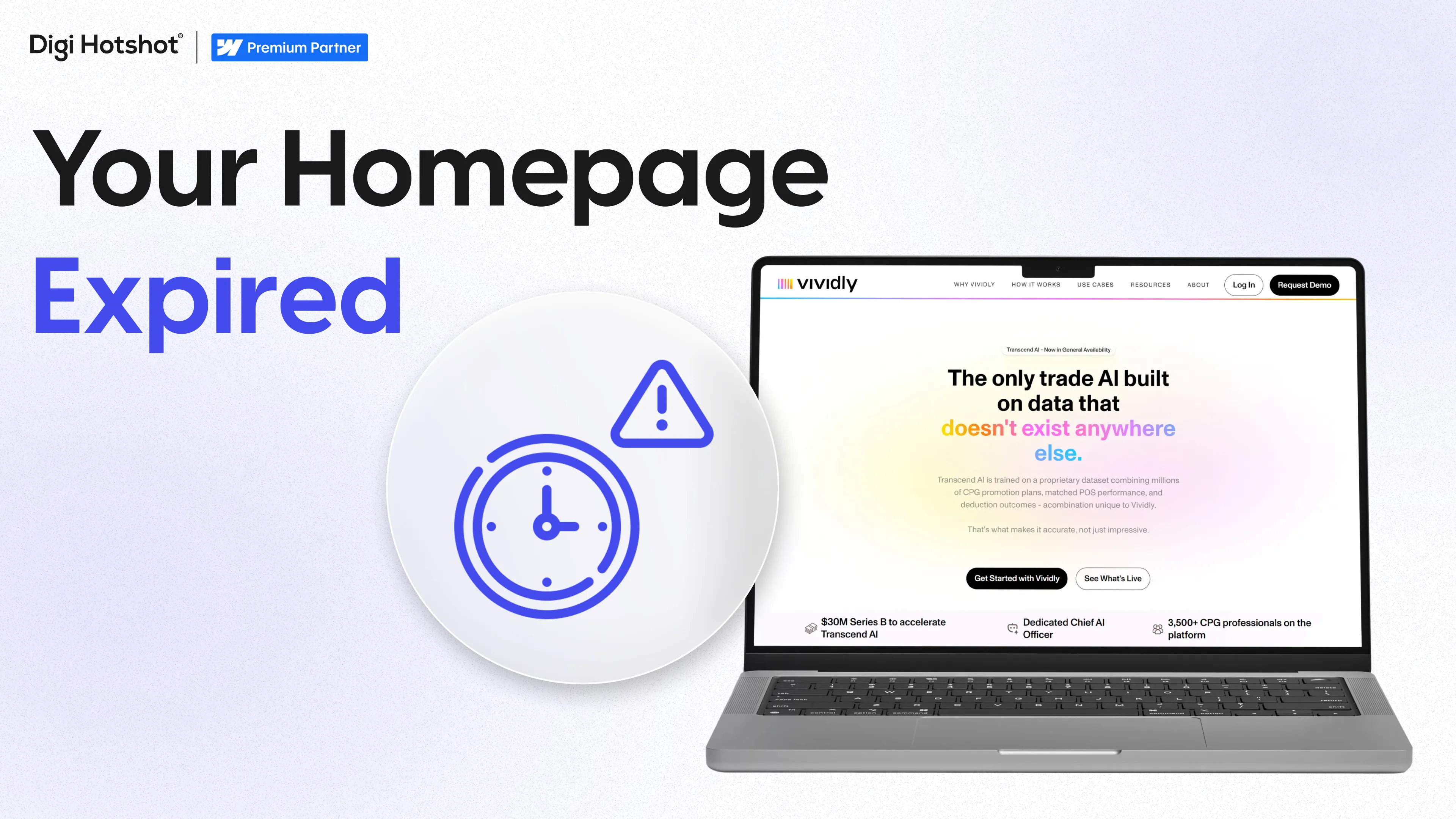
For companies planning to keep their site for 3+ years with ongoing updates and iterations, Webflow's maturity is an advantage. We've been running Vividly's Webflow site for 3.5 years with 50+ projects delivered. Column Tax has been on Webflow with us since 2021.
Neither is universally better. Framer is faster to learn, better for small sites and motion-heavy design, and cheaper for simple projects. Webflow is stronger for CMS-heavy sites, SEO, long-term scalability, and projects that need an established agency partner.
For small B2B sites under 15 pages with basic CMS needs, yes. For larger B2B sites with complex CMS requirements, SEO priorities, and ongoing iteration, Webflow is the stronger platform.
Framer's per-site pricing starts lower. Basic is $10/month and Pro is $30/month compared to Webflow's CMS plan at $23/month and Business at $39/month. For simple sites, Framer costs less. For complex sites, the total cost can even out when factoring in third-party tools.
Yes, but it's a rebuild — neither platform exports to the other. The process involves redesigning and rebuilding your site in Webflow, then migrating content. We've completed 30+ platform migrations and the methodology applies regardless of the source platform.
Currently, yes. Webflow outputs clean semantic HTML, has mature SEO tools, and gives you granular control over heading hierarchy and structured data. Framer's SEO has improved but Webflow still has an advantage.
Framer has an edge for motion design. Animations and transitions feel more native to the platform because it's React-based. You can create polished micro-interactions with less effort than in Webflow. Webflow Interactions is powerful but has a steeper learning curve.
For a growing B2B company that expects its site to scale beyond 15-20 pages, needs strong CMS architecture, cares about SEO, and wants a long-term agency partner, Webflow is the stronger choice. Framer is better for teams that prioritize shipping speed on smaller sites.
Framer has a CMS, but it's less mature than Webflow's. It works for basic blogging and simple content pages. It doesn't yet support the complex multi-collection architectures that Webflow's CMS handles.
Lorem ipsum dolor sit amet, consectetur adipiscing elit. Suspendisse varius enim in eros elementum tristique. Duis cursus, mi quis viverra ornare, eros dolor interdum nulla, ut commodo diam libero vitae erat. Aenean faucibus nibh et justo cursus id rutrum lorem imperdiet. Nunc ut sem vitae risus tristique posuere.
.
Platform Comparison
Webflow is a visual website platform built for marketing teams — design, CMS, hosting, and publishing in one system, with no code or developer queue required. Both platforms power millions of websites. The right choice depends on your team, your technical requirements, and how much ongoing maintenance you're willing to manage. This comparison covers design, CMS, performance, pricing, and real examples from building on both platforms.
If you're also weighing AI-first tools like Cursor or Lovable against a proper CMS, see our breakdown of Webflow vs vibe-coded websites.
Webflow is a visual development platform that launched in 2013. You design and build in a browser-based editor that generates clean HTML, CSS, and JavaScript. Hosting, SSL, and CDN are built in. The CMS is native. There's no theme layer, no plugin system, and no server to manage. Your design is your code.
WordPress is an open-source content management system that's been around since 2003. It powers roughly 40% of all websites. You install it on a server (or use managed hosting), add a theme, customize with plugins, and manage everything through an admin dashboard. WordPress gives you an enormous library of plugins and themes, full server access, and a developer pool for every budget.
The fundamental difference is architectural. WordPress gives you maximum flexibility through its open-source plugin library, at the cost of more ongoing maintenance and security management. Webflow gives you speed, visual control, and lower maintenance, at the cost of less flexibility for edge-case functionality.
Summary: WordPress offers more flexibility, a larger plugin library, and better support for very large or e-commerce-heavy sites. Webflow offers faster development, lower maintenance, better default performance, and more direct design control. For most B2B marketing sites, Webflow is the stronger fit.
If your site requires specialized functionality like membership portals with multiple user roles, learning management systems, multi-vendor marketplaces, or complex e-commerce with WooCommerce, WordPress has plugins for all of it.
Webflow's CMS has a 20,000-item limit per site on the Premium plan (the merged CMS and Business tier since May 2026; see our Webflow pricing breakdown). If you're running a large media site, an extensive product catalog, or a content-heavy directory, WordPress handles that scale better.
If your marketing team, developers, and content editors have years of WordPress experience and your current site is performing well, switching platforms for the sake of switching doesn't make financial sense.
WooCommerce is a full-featured e-commerce platform. It handles thousands of SKUs, variable pricing, subscriptions, wholesale pricing, and complex product configurations. Webflow E-commerce is more limited.
WordPress gives you access to your server, your database, and every line of code. If your development team needs full server-side access, WordPress provides that.
This is the number one reason our clients choose Webflow. With WordPress, landing pages, design changes, and campaign updates typically go through a developer or sit in a ticket queue. Column Tax went from multi-week deployment cycles to 2-3 day turnarounds after moving to Webflow.
WordPress maintenance is a real cost that teams underestimate. Plugin updates, security patches, PHP version compatibility, hosting management, and database cleanup. We've talked to companies spending 5-10 hours per month just keeping their WordPress site running. Webflow removes most of that overhead entirely.
Webflow outputs clean code and hosts on a global CDN. You get fast page loads without managing caching plugins, image compression plugins, or database queries.
If you're going through a redesign, the platform switch cost is already built into the project. We've done this 14+ times with WordPress-to-Webflow migrations, and the combined redesign plus migration is often only 20-30% more than a redesign on the existing platform would have been.
In Webflow, what you see in the designer is what ships to production. There's no gap between the Figma file and the live site.
If you're leaning toward Webflow and currently running WordPress, here's what the move involves at a high level. We've completed 14+ WordPress-to-Webflow migrations and 30+ total platform migrations.
We migrated Wellness Everyday from Joomla to Webflow (70+ pages, 100% SEO preserved, zero downtime). Typical timeline is 6-10 weeks for standard marketing sites.
For most B2B marketing sites, yes. Webflow gives marketing teams direct editing control, requires less maintenance, and loads faster by default. WordPress is better if you need a massive plugin library, complex WooCommerce e-commerce, or have 10,000+ content items. The right choice depends on your specific requirements.
Yes, with proper redirect mapping and URL structure planning. We've completed 14+ WordPress-to-Webflow migrations. Our Joomla-to-Webflow migration for Wellness Everyday preserved 100% of SEO across 70+ pages with zero downtime.
Upfront agency costs are comparable. Webflow hosting runs $25/month (Premium plan, yearly billing) with no plugin costs. WordPress hosting ranges from $30-$500/month, plus $100-$500/month in premium plugins, plus ongoing developer time for maintenance. Total cost of ownership is often lower with Webflow.
Not in the same way. Webflow has a growing integrations marketplace and connects to tools through Zapier and Make. But it doesn't have 60,000+ plugins. For most B2B use cases, Webflow covers what you need. For niche or highly specialized functionality, WordPress's plugin library is still unmatched.
Typically 6-10 weeks for a standard marketing site. We completed TenOneTen Ventures' migration in 6 weeks, including a full redesign. Larger sites with more content and complex CMS structures take longer.
Yes. Webflow hosts on AWS infrastructure with a Fastly CDN. Two of our clients, Sisu Clinic and Poppy Flowers, run on Webflow Enterprise. The platform handles high-traffic marketing sites well. Where it has limits is CMS capacity (20,000 items per site on the Premium plan), not traffic handling.
WordPress has a more mature SEO plugin library with some advanced features Webflow doesn't offer natively. But Webflow's built-in SEO tools cover what the large majority of B2B sites need. The difference is marginal for most companies.
Stay on WordPress if your site is performing well, your team knows the platform, you need WooCommerce, or you have 10,000+ content items. Switch to Webflow if you're redesigning anyway, your marketing team is bottlenecked by developer dependencies, maintenance costs are eating your budget, or you want faster page loads with less overhead.
For simple e-commerce with a small product catalog (under 500 SKUs), Webflow E-commerce can work. For complex e-commerce with subscriptions, variable pricing, wholesale, or thousands of products, WooCommerce is the stronger platform.
All content gets transferred to Webflow's CMS as part of the migration process. Blog posts, pages, images, and metadata are mapped to Webflow CMS collections. The old WordPress site stays live until the new Webflow site is fully built, tested, and ready for DNS switch. No content is lost if the migration is planned properly.
Book a 30-minute discovery call. We'll discuss your current challenges and show you exactly how we can help.
Book a 30-minute discovery call. We'll discuss your current challenges and show you exactly how we can help.
Your competitors aren't stuck in developer queues. They're launching campaigns, testing messages, and capturing market share while you're waiting for simple updates.
Eliminate the bottlenecks. Give your marketing team the infrastructure they deserve—fast, autonomous, built to scale.



.png)
.png)
.png)
.png)
%20%20what-to-look-for-in-a-website-agency-for-a-venture-backed-deep-tech-company.png)
%20Webflow%20confg.png)
%20webflow-migration-agency.png)
%20is-webflow-safe-for-b2b-startups.png)
%20Webflow%20vs%20Custom%20Dev%20for%20Fintech.png)
%20website-migration-seo-impact.png)
%20series-b-website-checklist.webp)
%20remote-webflow-agency-us-canada-uk.webp)
%20what-vcs-judge-portfolio-company-website.webp)
%20webflow-vs-divi.webp)
%20b2b-saas-website-sales-asset.webp)
.webp)
.webp)
.webp)
.webp)


.webp)
.webp)
.webp)

.webp)

.webp)
.webp)
.webp)
.webp)
.webp)
.webp)
%20(1).webp)

.webp)
.webp)
.webp)

.webp)

.webp)
.webp)
.webp)
.webp)
.webp)

.webp)
.webp)


.webp)
.webp)
.webp)

.webp)
.webp)
.webp)


%20(1).webp)
%20(1).webp)
.webp)
%20(1).webp)
.webp)
.webp)

.webp)

.webp)
.svg)

